
Download Magis Player – live football matches, football streaming, football fan app, live sports streaming, football game updates, Brazil football, international football matches, football schedule, live match stream, football content hub
Overview
Magis Player is a free desktop application designed for football enthusiasts seeking real-time access to live matches from Brazil and international leagues. The software serves as a centralized platform for fans who want to follow their favorite teams without being tied to a television or live broadcast schedule. It aims to bridge the gap between busy lifestyles and the desire to stay engaged with ongoing football action. The app offers live streams of current fixtures, match schedules, venue details, and related game updates, making it a dynamic companion for casual and dedicated fans alike.
Target users include sports fans, particularly those interested in Brazilian football and global competitions. The app’s focus on live streaming suggests it caters to individuals who prioritize immediate access to live events over high-definition visuals or advanced features. While the developer, Magis Media, is identified, no additional background on the company’s history or technical expertise was provided. Real-world usage scenarios include following a live match during a lunch break, tracking fixtures before a weekend game, or monitoring international tournaments from a desktop environment.
The software does not appear to require a subscription or payment, aligning with its free distribution model. However, users should be aware that the app is ad-supported, which may affect the viewing experience. The developer did not provide additional system requirements, and exact performance details were not specified.
Key Features & Capabilities
- Live Football Streaming – Access to real-time broadcasts of matches from Brazil and international leagues, enabling users to watch games as they happen.
- Comprehensive Match Schedule – A built-in calendar view of upcoming fixtures, including dates, times, and venues, helping users plan their viewing.
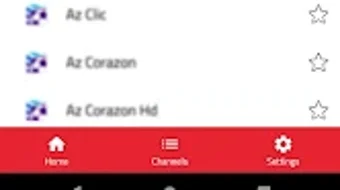
- Multiple Channel Selection – Users can choose from various streaming channels tailored to specific leagues, teams, or regional football content.
- Football Game Updates – Real-time notifications and score updates during live matches, ensuring fans stay informed even when not actively watching.
- Integrated Media Player – A built-in video player for direct playback of live streams without requiring external software.
- Football Content Hub – Centralized access to match data, team information, and event details, all within a single interface.
These features are designed to support a seamless fan experience, particularly for those who follow multiple leagues or teams. For example, a user could select a Brazil Serie A match, view the schedule, and stream the game live all from the same interface. The player’s ability to handle multiple channels allows for flexibility in content access, though the quality of streams may vary depending on the source.
User Interface, Workflow & Performance
The user interface of Magis Player is structured to prioritize quick access to live matches and upcoming fixtures. Navigation appears to be based on a central dashboard that displays current games, scheduled events, and a channel selector. The workflow is designed to be intuitive, allowing users to select a match with minimal steps, such as tapping on a game card to begin streaming.
Based on general software behavior patterns, the app likely operates with a lightweight design to maintain responsiveness on standard desktop systems. However, the developer did not specify resource usage details, so exact CPU or RAM consumption remains unknown. Performance observations are based on general software behavior patterns, and no benchmarks were provided.
Users should be aware that the app is ad-supported, which may lead to interruptions during live streams. The player component appears to be outdated, potentially resulting in buffering or playback instability. While the software is functional, the lack of modern video rendering technology may impact overall viewing quality, especially during high-demand matches.
Compatibility & System Requirements
Magis Player is available for both Windows and Mac operating systems. The software version is 1.2.3, with a file size of 50.6 MB, indicating a lightweight installation. This suggests it is designed for systems with moderate hardware specifications.
Exact system requirements were not listed by the developer. Compatibility information is limited to the operating systems mentioned. The developer did not provide details on minimum processor speed, RAM, or graphics capabilities. As such, users should proceed with caution on older or low-spec machines, particularly if the app relies on background processes during live streams.
Installation is straightforward, with no reported issues in the provided information. The app is distributed as a standalone executable, suitable for immediate use after download.
Pros and Cons
Pros
- Free to download and use with no subscription required
- Access to live football matches from Brazil and international leagues
- Integrated player for direct streaming without external tools
- Comprehensive schedule and fixture information
- Multiple channel options for different leagues and teams
- Lightweight installation at just 50.6 MB
Cons
- Ad-supported model may cause frequent interruptions during live games
- Outdated video player technology may lead to buffering and playback issues
- Video resolution is not optimized for high-definition viewing
- Performance and stability may vary without clear system requirements
- Limited information on developer background and technical support
FAQ Section
Is Magis Player available for both Windows and Mac?
Yes, Magis Player is compatible with both Windows and Mac operating systems.
Is the app free to use?
Yes, Magis Player is offered at no cost. It is supported by advertisements.
Does Magis Player require an internet connection?
Yes, a stable internet connection is required to stream live football matches and access real-time updates.
Can I use Magis Player offline?
No, the app requires an active internet connection for live streaming and content updates. Offline functionality is not supported.
What type of license does Magis Player use?
Magis Player is distributed under a free, ad-supported license. No formal license type was specified beyond its free availability.
Final Thoughts + CTA
Magis Player delivers a convenient, no-cost entry point for football fans who want to follow live matches from Brazil and beyond. Its core strengths lie in accessibility, real-time updates, and a simple interface that enables quick access to ongoing games. While the app is not optimized for high-quality streaming or uninterrupted viewing, it remains a viable option for casual fans or those testing the waters of live football streaming.
However, users should be prepared for potential disruptions due to ads and the limitations of an older player engine. The video quality does not match premium services, and performance may vary across devices. For serious fans seeking a premium experience, alternatives with better resolution and fewer interruptions may be more suitable.
Ultimately, Magis Player serves as a functional, budget-friendly tool for staying connected to live football. If you’re looking for a free way to watch matches without a financial commitment, it offers a practical starting point.
Download Magis Player now






.png)
